
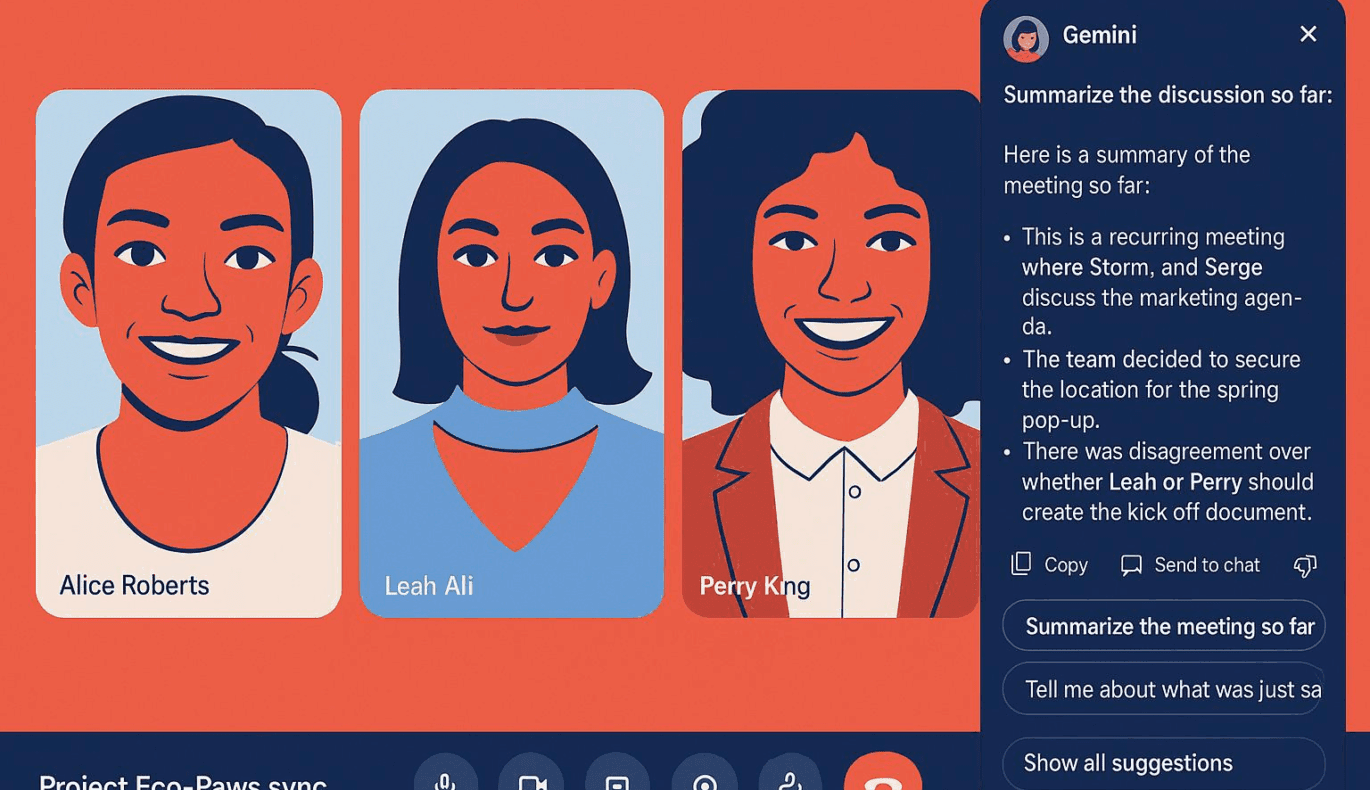
There’s exciting news for those of us who use Google Meet for our business meetings, presentations, or even casual catch-ups. Google is commencing the rollout of its innovative Ask Gemini AI assistant in Google Meet, a feature designed to make your meeting experience smoother and more organized. However, it’s important to note that initially, this impressive upgrade will only be available to select Google Workspace customers.
The Ask Gemini function proves to be a game-changer in managing and streamlining workspace meetings. It gracefully addresses many common meeting challenges, such as missing out on important points or failing to keep track of things during a heated discussion. The assistant can answer user questions by referring to real-time captions generated during the call. In addition, this AI can pull out resources like Google Docs, Sheets, and Slides that participants have permission to view, as well as public websites.
Ask Gemini doesn’t just stop at answering questions. This new feature is here to impress further with its ability to provide summaries of what a specific participant said or identify important decisions and action items. It even can generate a brief of what you’ve missed when joining a meeting late. But remember, this last point is applicable only when Google Meet’s Take Notes for Me feature has been activated by the host.
A notable aspect of Ask Gemini’s functionality is its respect for user privacy. All responses generated by Ask Gemini are kept private to every participant. Moreover, the meeting data, including the AI-generated captions and summaries, are not stored after a Google Meet call ends. Ensuring full transparency, every participant will also see a prompt when Ask Gemini is activated during a call. And while the AI is on by default, the hosts can disable it at any time. Additionally, the admin retains the power to switch the default to start meetings with the AI assistant off.
For now, Ask Gemini in Meet stays exclusive to desktop users, and it flawlessly works only during meetings held in English. Yet, take heart, global users and mobile enthusiasts, as Google confirms that support for additional languages is on its way. Expect broader accessibility over the coming weeks when it rolls out to Google Workspace Enterprise Plus, Enterprise (Standard), Business Plus, and Business Standard customers. Following critical user feedback and necessary improvements, Google plans to also make it available to Workspace Business Starter, Enterprise Standard, and Enterprise Plus customers by Q1 of 2026.
It’s important to remember that technology, however advanced, has its limitations. Google gently reminds users that “Gemini in Workspace can make mistakes, including about people, so users should review its output.” Using it to catch up on missed parts of a meeting is convenient but taking some time to go back and review those parts yourself after the meeting surely wouldn’t hurt.
This blog was based on an original article by The Verge, which can be found here.