
Description
The AI Customer Onboarding Monitor & Task Automator continuously tracks onboarding milestones across your CRM, support and product usage systems, highlights stalled customers and triggers the right follow-up actions. It removes the manual, error-prone work of checking multiple dashboards and ensures no essential setup, training or configuration task is missed during a new-customer activation.
implementi.ai configures the connections, builds the milestone logic, operates the automation and maintains it month-to-month so your team sees a reliable, consolidated view of onboarding health without building or owning the workflow themselves.
The problem
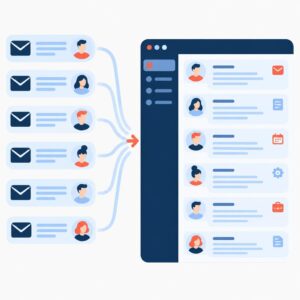
Without automation, onboarding is managed across emails, CRM fields, support tickets, product events and spreadsheets. Teams manually check where each customer sits, copy notes between tools and create follow-up tasks by hand. As customer volumes increase, visibility breaks down: milestone dates are inconsistent, duplicate tasks are created, handoffs between sales and implementation are missed, and customers experience long or unpredictable activation timelines. These inefficiencies cause higher time-to-value, increased churn risk during early stages and wasted staff hours coordinating status updates.

What this solution automates
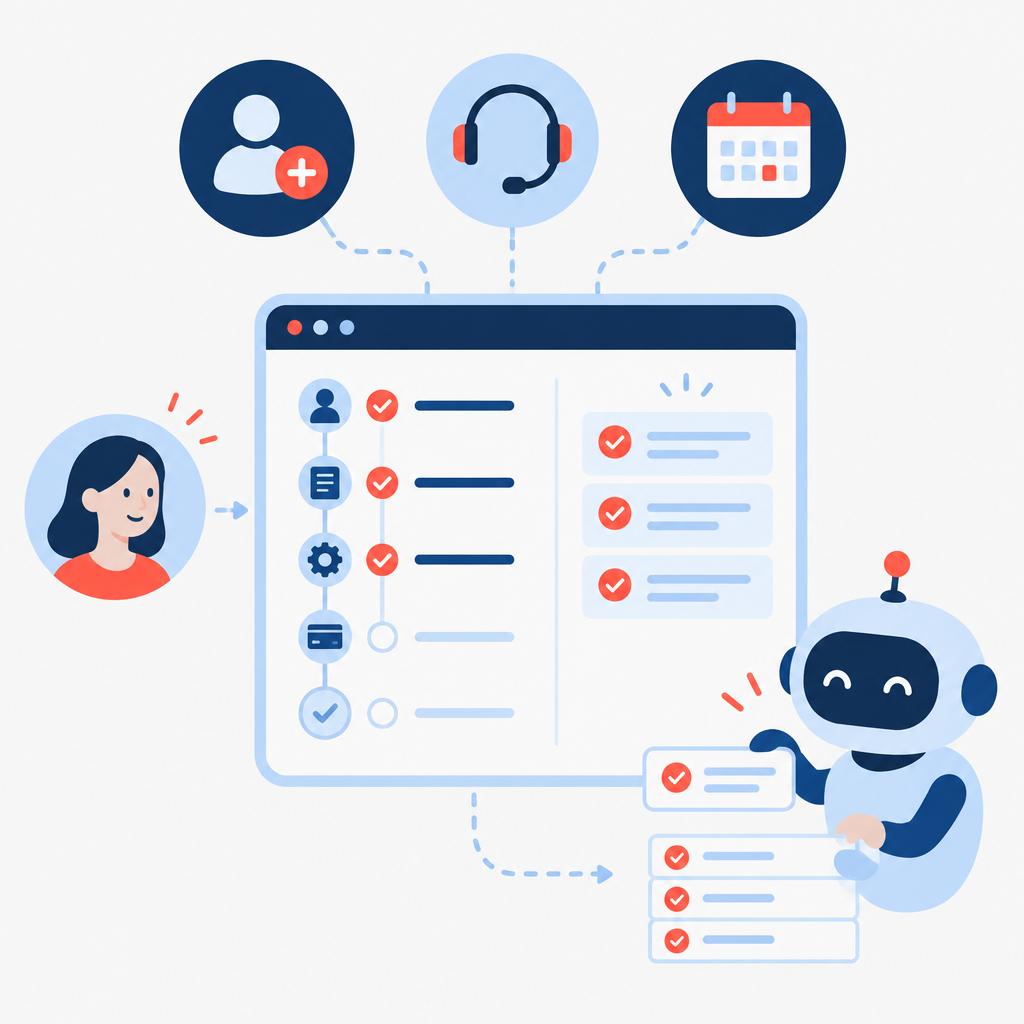
This managed service automates the continuous monitoring and orchestration of new-customer onboarding through AI-enhanced classification and rule-driven actions. It consolidates signals from multiple systems, keeps a persistent onboarding state per customer, creates or updates tasks when progress stalls and notifies the right people or the customer at the right time.
- Detect onboarding milestone completion from CRM fields, support tickets and product events.
- Classify stall reasons using AI (missing credentials, scheduling conflict, technical blocker).
- Auto-create or assign tasks in your project or ticketing tool and update CRM milestones.
- Send configurable nudges to customers and internal owners via email or your messaging channel.
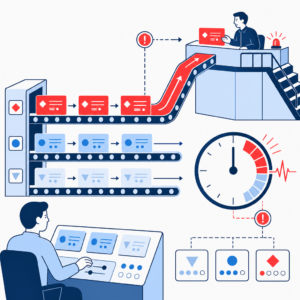
- Escalate or flag high-priority onboarding risks for human review.
- Maintain per-customer onboarding history and progress timeline.
What your business gains
- Faster, predictable activations. Consolidating milestones and automating routine follow-ups reduces manual lag and helps customers reach their first successful outcome sooner.
- Reduced manual coordination. Teams spend less time copying notes between systems and hunting for status updates; automation handles routine task creation and status updates.
- Consistent handoffs. Standardised milestone logic ensures sales-to-implementation and implementation-to-support transitions happen with the required context and tasks assigned.
- Actionable risk detection. AI highlights stalled onboardings and the likely causes so staff can prioritise high-impact interventions instead of triaging low-value cases.
- Maintained onboarding history. The service keeps a running timeline of events and actions for audits, retrospectives and continuous improvement.

A practical use case
A mid-market SaaS company signs dozens of customers per month. Onboarding involves account setup, data import, two training sessions and technical configuration. Currently, a product specialist manually scans the CRM and support queue for new customers and creates tasks in a project board — often missing a required training session or failing to follow up on a failed data import. With this product, the company tracks each customer’s milestones automatically: failed imports trigger a task and a customer email, overdue training prompts an internal reminder and a scheduling link, and repeated stalls escalate to a manager. This reduces missed steps and helps the team focus on complex customer needs rather than routine follow-up.
Who is it for?
- SMB and mid-market SaaS companies with structured onboarding flows — need consistent milestone tracking and fewer manual handoffs.
- Customer success or implementation teams scaling from manual spreadsheets to multi-person operations — want to automate routine tasking and visibility.
- Professional services teams delivering configured launches — benefit from automated reminders and task orchestration across project tools and CRM.
- Product-led companies with activation events in analytics platforms — need to detect feature-adoption or blocked events and act quickly.
What is included in the monthly service
The monthly subscription covers the managed automation and ongoing operational support required to keep onboarding monitoring running and up to date. implementi.ai handles the automation operation, monitoring, remediation and routine maintenance so your team does not operate the workflow directly.
- Configure and maintain agreed connections to systems before launch.
- AI processing for classification and milestone detection as part of the service.
- Monitoring the automation, handling and fixing errors and maintaining the solution month-to-month.
- Reasonable configuration updates to milestone rules and notification content as your onboarding process evolves.
When this solution may not be necessary
- Companies with only one-step self-serve activations where no cross-team coordination is required.
- Organisations that prefer to keep all onboarding logic entirely in-house without a managed service.
How it works
- Connect systems. We link the agreed sources such as your CRM, ticketing or project tool and product events to collect onboarding signals and existing milestone fields.
- Define milestones and rules. Together we map the onboarding steps, success criteria and the actions that should follow a stall, completion or exception.
- AI classification. The service uses AI to classify free-text notes, ticket reasons and event anomalies so the system understands whether a customer is blocked by a technical, scheduling or resource issue.
- Orchestration and task creation. When a rule or AI classifier detects a stalled or failed milestone, the automation creates or updates tasks in the configured project or ticketing tool and assigns owners.
- Notifications and nudges. Configurable messages are sent to customers and internal owners to request missing items, propose scheduling slots, or confirm completion.
- Escalation and human review. High-risk or ambiguous cases are flagged for a human to review; the automation provides context and suggested next steps.
- Ongoing maintenance. implementi.ai monitors the automation, fixes integration errors, and updates milestone logic as your onboarding process changes.
Example workflow
For example, imagine a company that signs ten new customers weekly. One customer’s data import fails and a support ticket is created. The automation detects the failed import event and classifies the ticket as a technical blocker. It then creates a task in the implementation project board, assigns it to the data-engineer queue, updates the CRM onboarding milestone to “Import blocked,” and sends a templated message to the customer asking for missing credentials. If no action occurs within the configured SLA window, the system escalates the case to a manager for human intervention. The result is a clear action trail and fewer customers slipping through the cracks.
Integrations
Typical systems
Typical systems include CRM platforms (for example HubSpot, Salesforce), support and ticketing tools (Zendesk, Freshdesk), product analytics or event streams (Segment, Mixpanel, Amplitude), and project or task management tools (Asana, Jira, Trello). These are example platforms — final compatibility is confirmed during scoping.
Connection methods
Connections are implemented via available APIs, webhooks, native integrations where possible, or data exports (CSV/secure SFTP) and Google Sheets for simple integrations. Email triggers and ticket ingestion can be used when API access is not available. The chosen method is agreed during scoping and confirmed before implementation.
What we need from your company
Before launch we agree the list of systems to connect, provide access or API credentials, sample data for milestones and examples of onboarding exceptions, and clarify decision rules and owner assignments. We also need a single point of contact and a clear description of desired notifications and escalation rules. Compatibility, access method and the final scope are confirmed before work begins.
FAQ
Which systems can you connect to for onboarding signals?
We can connect to common CRMs, ticketing/project tools and product analytics platforms through APIs, webhooks or agreed data exports. Specific platform compatibility is confirmed during scoping.
How customisable are the onboarding milestones and notifications?
Milestones, rules and notification templates are customised during the initial configuration. The monthly service includes reasonable updates to these configurations as your process changes.
What happens when the automation can’t classify a stall?
Ambiguous cases are flagged for human review with contextual data and suggested actions. Your team can review and resolve exceptions using the task created by the automation.
Do you send messages directly to customers?
Yes — the service can send configurable email or messaging nudges through your systems. Message content and channel are agreed before launch and can be adjusted later as part of the monthly service.
How long does it take to get started?
Launch time depends on the number and type of integrations, access readiness and the complexity of your onboarding rules. We confirm a realistic timeline during scoping.
What support is included in the monthly fee?
The subscription covers operation of the automation, monitoring, handling and fixing integration errors, AI processing, and reasonable configuration updates. Any larger reworks are scoped separately.
Price
The activation fee covers the initial setup, implementation and launch of the agreed automation scope.
The monthly subscription covers the ongoing operation, maintenance and management of the automation service.
The exact scope and final monthly subscription are confirmed before launch.
Ready to automate this process?
Tell us which CRM, support/ticketing and product analytics tools your company currently uses.
We’ll confirm how this solution can be connected, its scope and the final monthly subscription.
| Email uscontact@implementi.ai | Call us+48 660 983 178 |