


Beschreibung
The AI Field Visit Report Summariser & Action Router converts unstructured technician notes, photos and forms from onsite visits into concise summaries, prioritized actions and routed tasks. It removes the manual review bottleneck that delays customer follow-ups, invoicing inputs and repair scheduling.
implementi.ai configures and operates the service: we connect the agreed systems, tune extraction and routing rules for your workflows, monitor the automation and handle fixes so your team receives reliable, usable outputs every day.
Das Problem
Field technicians and contractors typically submit visit notes, photos and incident logs in differing formats: mobile forms, emailed notes, photos or PDFs. Managers must manually read entries, extract required actions, decide who should handle follow-ups and then create tickets or tasks in CRM or FSM systems. This manual hand-off creates delays, missed follow-ups, inconsistent records for billing and maintenance, and wasted office time. As visit volume grows, the backlog and variability increase—teams lose visibility into recurring issues and struggle to prioritise urgent customer-impacting work.

Was diese Lösung automatisiert
This managed solution automates the post-visit workflow from raw report to tracked action. implementi.ai configures AI extraction rules, summary templates and routing logic, and operates the automation as an ongoing service.
- Extract structured data from free-text notes, photos and simple forms (issue type, urgency, parts needed, next steps).
- Generate a concise visit summary and recommended next actions for operations, billing or account teams.
- Auto-create or update tickets/tasks in the chosen FSM or CRM with mapped fields and attachments.
- Flag and route exceptions (safety incidents, escalations, high-cost parts) for human review.
- Maintain a searchable archive of summaries and past action outcomes for trend analysis.
Was Ihr Unternehmen davon hat
- Faster follow-up. Automating extraction and routing removes manual triage, so urgent repairs and customer callbacks happen sooner and with clear context for the assignee.
- Consistent records. Standardised summaries and mapped fields ensure visit outcomes, parts used and next steps are logged consistently for billing, warranty and audit needs.
- Reduced admin workload. Office teams spend less time reading notes and creating tickets — staff focus on execution instead of data entry.
- Bessere Prioritätensetzung. The service highlights high-risk or high-cost visits and routes them to the right approver, reducing missed escalations or unplanned expenses.
- Betriebliche Transparenz. Searchable visit summaries and action history make it easier to spot recurring issues, supplier or asset trends and training needs.
Ein praktischer Anwendungsfall
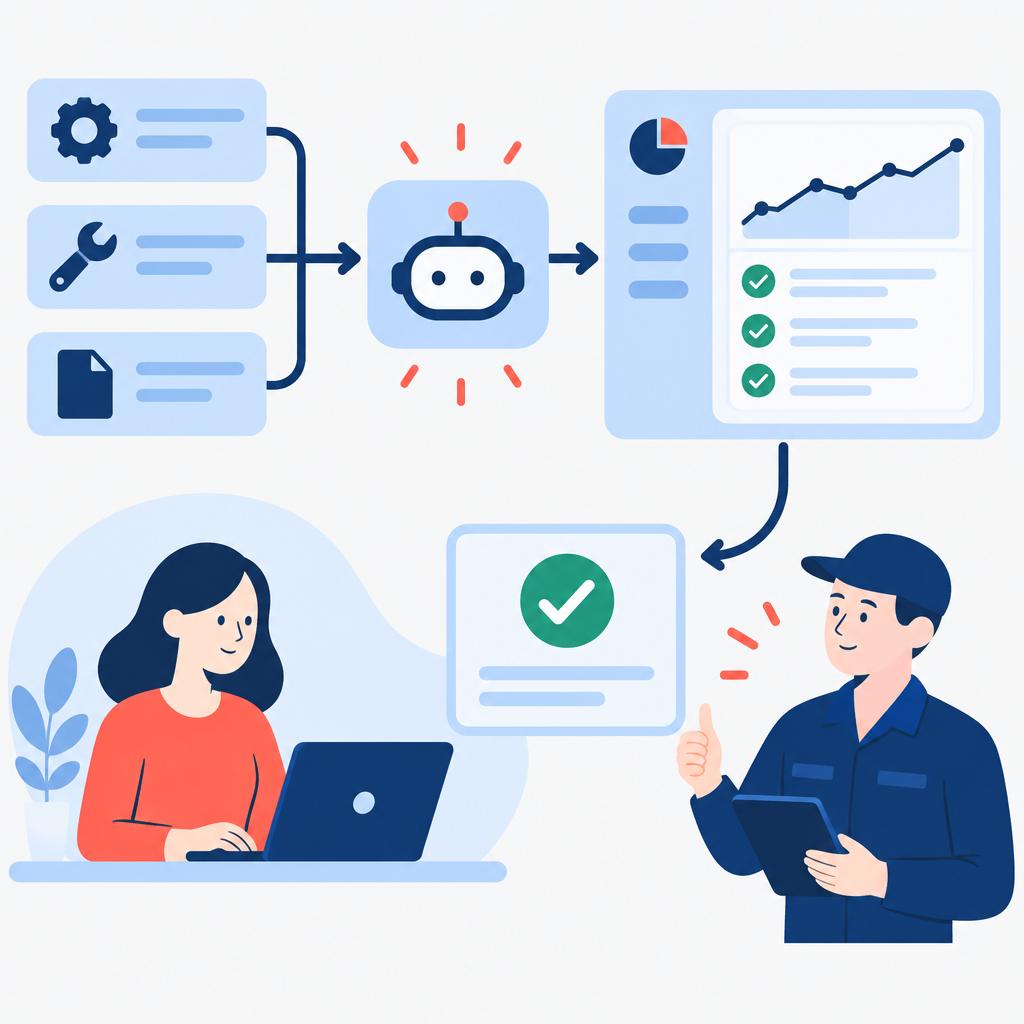
For a regional HVAC maintenance provider operating dozens of daily field visits, office staff spent hours each day reading technician notes, interpreting hand-written entries and creating tickets for follow-up repairs or parts orders. After launch, each technician’s mobile report is summarised automatically; required parts and urgency are extracted and a follow-up ticket is created in the FSM with photos attached. Safety incidents are flagged for immediate manager review. The provider reduces administrative backlog, invoices more accurately and shortens time-to-repair without adding headcount.
Für wen ist es gedacht?
- Field service operations teams — require consistent handoff from technicians to office teams for scheduling, billing and follow-up.
- Facilities management companies — need reliable summaries from contractor visits and fast routing of remedial work.
- Maintenance-heavy distributors — want standardised visit records to support warranty claims and parts replenishment.
- Customer success teams with onsite support — benefit from concise visit notes for account updates and proactive outreach.
Was ist im monatlichen Service enthalten?
The monthly subscription covers the managed automation and the ongoing operational elements needed to keep it reliable. implementi.ai provides configuration, monitoring and maintenance of the automation and handles error-fixing and reasonable updates to extraction and routing rules.
- Operating the automation and scheduled processing.
- Connections to the agreed systems and data flows.
- AI processing for extraction and summaries.
- Monitoring and incident handling to fix automation errors.
- Minor configuration updates to keep rules and mappings aligned with your processes.
Wann diese Lösung möglicherweise nicht erforderlich ist
- Organisations with only a handful of infrequent visits where manual review is already trivial.
- Use cases requiring full legal-level document review or certified forensic analysis — this product focuses on operational summaries and routing, not legal certification.
So funktioniert es
- Receive visit inputs. The automation ingests technician submissions — mobile form entries, emailed notes, uploaded photos or PDFs — from the connected systems.
- Pre-process attachments. Images and PDFs are normalised and associated with the correct visit record so the AI can analyse textual and visual content together.
- Extract key details. AI identifies issue type, parts mentioned, estimated cost indicators, safety flags and suggested next steps, converting free text to structured fields.
- Summarise visit. A concise, human-readable summary is produced that includes the problem, actions taken, items required and an urgency score for prioritisation.
- Route and create work items. The system maps extracted fields to your FSM/CRM/ticketing schema and creates or updates tickets, assigns owners and attaches the summary and photos.
- Flag exceptions. Incidents requiring human approval (high-cost parts, safety incidents, warranty disputes) are routed to the designated approver with the supporting summary and attachments.
- Archive and track outcomes. Summaries and routing outcomes are stored for search, reporting and trend analysis; subsequent visits update the history for the asset or customer.
Beispiel-Workflow
For example, imagine a company that runs daily maintenance visits for commercial chillers. A technician uploads a mobile form with notes and two photos after each visit. The automation ingests the submission, extracts phrases like “compressor vibration,” detects a photo showing oil leakage, and generates a 3–4 sentence summary describing the fault, parts likely needed and a recommended priority. A ticket is created in the company’s FSM with the summary, photos and suggested parts list. Because the estimated parts cost exceeds the preset threshold, the visit is flagged for supervisor approval; the supervisor receives the summary and approves a parts order directly from the ticket. The ticket status and summary are archived for later trend analysis.
Integrationen
Typische Systeme
Typical systems that customers connect include Field Service Management platforms (for example, Salesforce Field Service, ServiceMax or similar FSMs), CRM systems (Salesforce, Microsoft Dynamics), ticketing tools (Zendesk, Jira Service Management), and cloud storage or document repositories (Google Drive, SharePoint). Mobile form and inspection tools that produce photos and form data are commonly connected as well.
Anschlussarten
Connections are implemented through available REST APIs, webhooks from mobile/form apps, inbound email parsing for emailed reports, or scheduled CSV/JSON exports when APIs are unavailable. File attachments (images, PDFs) are fetched via the connected storage or pushed into a monitored inbox. The exact method is agreed before launch based on your systems.
Was wir von Ihrem Unternehmen benötigen
Before implementation we agree the systems to connect, example visit reports and a sample of attachments, the fields you want populated in your FSM/CRM, and rules for routing and approvals (for example cost thresholds or safety flags). We also need a named contact for approvals and a description of how exceptions should be handled. Compatibility and the chosen access method are confirmed during scoping.
Häufig gestellte Fragen
Which file types and inputs can the system handle?
The service handles common inputs: free-text notes, mobile form fields, JPEG/PNG photos and PDFs. During scoping we confirm the exact formats and map which fields should be extracted and where they land in your systems.
How are exceptions and safety incidents handled?
You define the exception rules during setup (for example, high-cost parts or safety keywords). When triggered, the automation routes the item to the specified approver with the generated summary and attachments for a human decision.
Can the summaries be customised to our preferred wording?
Yes. We configure summary templates and extraction labels to match your internal language and reporting needs. Minor changes to templates are included in the monthly service; larger reworks are scoped separately.
Do technicians need to change how they submit reports?
Not necessarily. The system accepts existing submission methods in most cases. During implementation we recommend minimal form or field tweaks to improve extraction accuracy, but we can also work with email or CSV exports if changing mobile workflows is impractical.
What happens if the automation makes an incorrect extraction?
Incorrect extractions are routed as regular exceptions or can be corrected by the assigned human owner. implementi.ai monitors error rates and applies fixes to extraction rules and model prompts as part of the monthly maintenance to reduce repeat mistakes.
How do you start implementation?
Implementation begins with a scoping phase where we confirm systems, collect sample reports and define routing and approval rules. Launch time depends on integrations and scope and is confirmed before work begins.
Preis
Die Aktivierungsgebühr deckt die Ersteinrichtung, die Implementierung und die Inbetriebnahme des vereinbarten Automatisierungsumfangs ab.
Das monatliche Abonnement umfasst den laufenden Betrieb, die Wartung und die Verwaltung des Automatisierungsdienstes.
Der genaue Umfang und die endgültige monatliche Abonnementgebühr werden vor dem Start bestätigt.
Sind Sie bereit, diesen Prozess zu automatisieren?
Tell us which field service, CRM and file-storage systems your teams currently use and how technicians submit visit reports.
Wir werden klären, wie diese Lösung angeschlossen werden kann, welchen Umfang sie hat und wie hoch die monatliche Abonnementgebühr letztendlich sein wird.
Buchen Sie ein 30-minütiges Telefonat
| Schreiben Sie uns eine E-Mailcontact@implementi.ai | Rufen Sie uns an+48 660 983 178 |