
Description
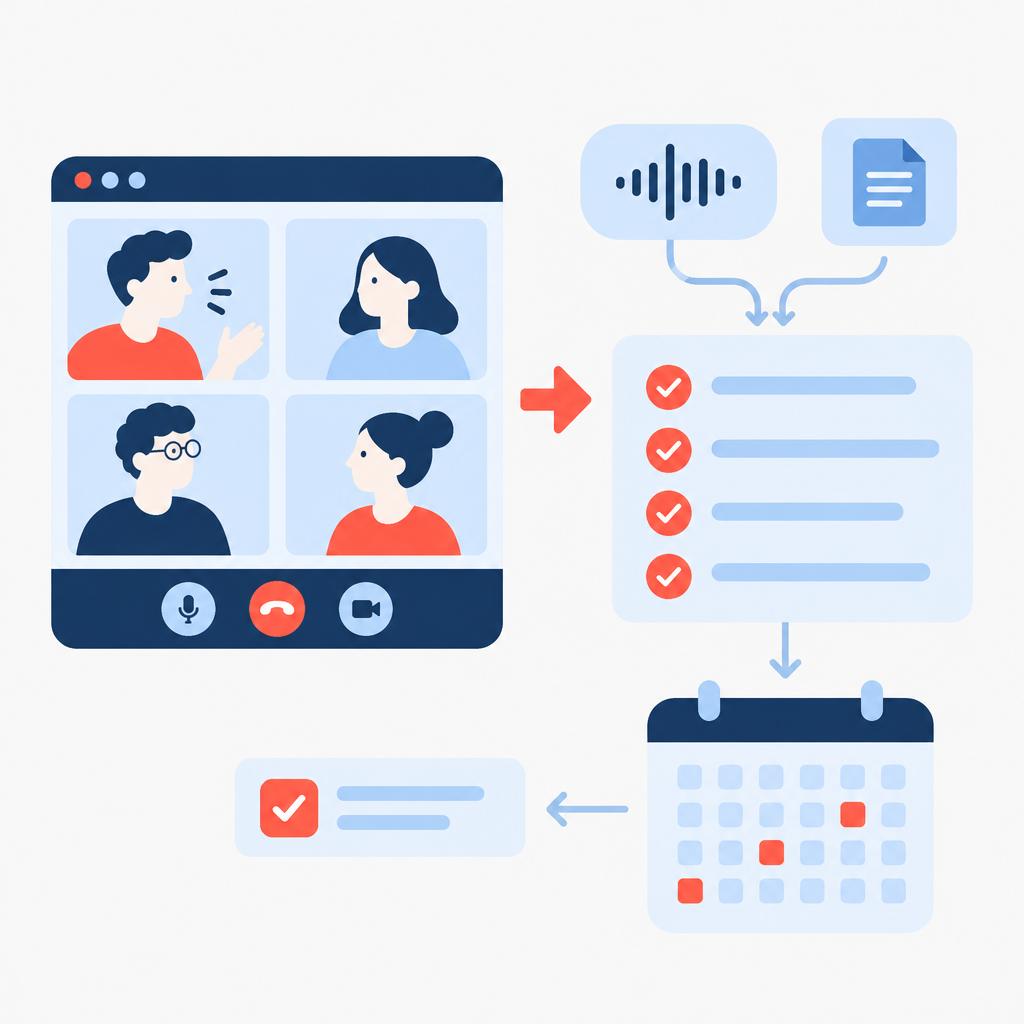
AI Meeting Assistant captures audio/video from online meetings, converts it into searchable transcripts, and produces concise minutes with suggested action items, owners and due dates. The service reduces lost decisions and the manual work of turning discussion points into executable tasks.
Implementi.ai configures and operates the automation on a monthly basis: we connect agreed systems, maintain the integration, monitor processing, and update mappings so meeting outputs remain reliable as your ways of working change.
The problem
When meetings are documented manually, information fragments across notes, chat, emails and multiple tools. Action items are often unclear, responsible parties aren’t recorded consistently and deadlines are missed because follow-ups must be created by hand. As meeting frequency grows and more participants join, this friction compounds: knowledge is harder to find, onboarding new team members requires more context, and managers spend more time chasing progress instead of making decisions.

What this solution automates
AI Meeting Assistant automates the capture-to-action loop for online and hybrid meetings. It transforms raw meeting recordings into structured, searchable records and can create or notify tasks in the systems your teams already use.
- Automatic import of meeting recordings or live recordings from conferencing platforms.
- Speech-to-text transcription and speaker-aware text output.
- AI extraction of decisions, risks, notes and proposed action items with owners and suggested due dates.
- Optional creation of tasks or reminders in task managers and communication channels.
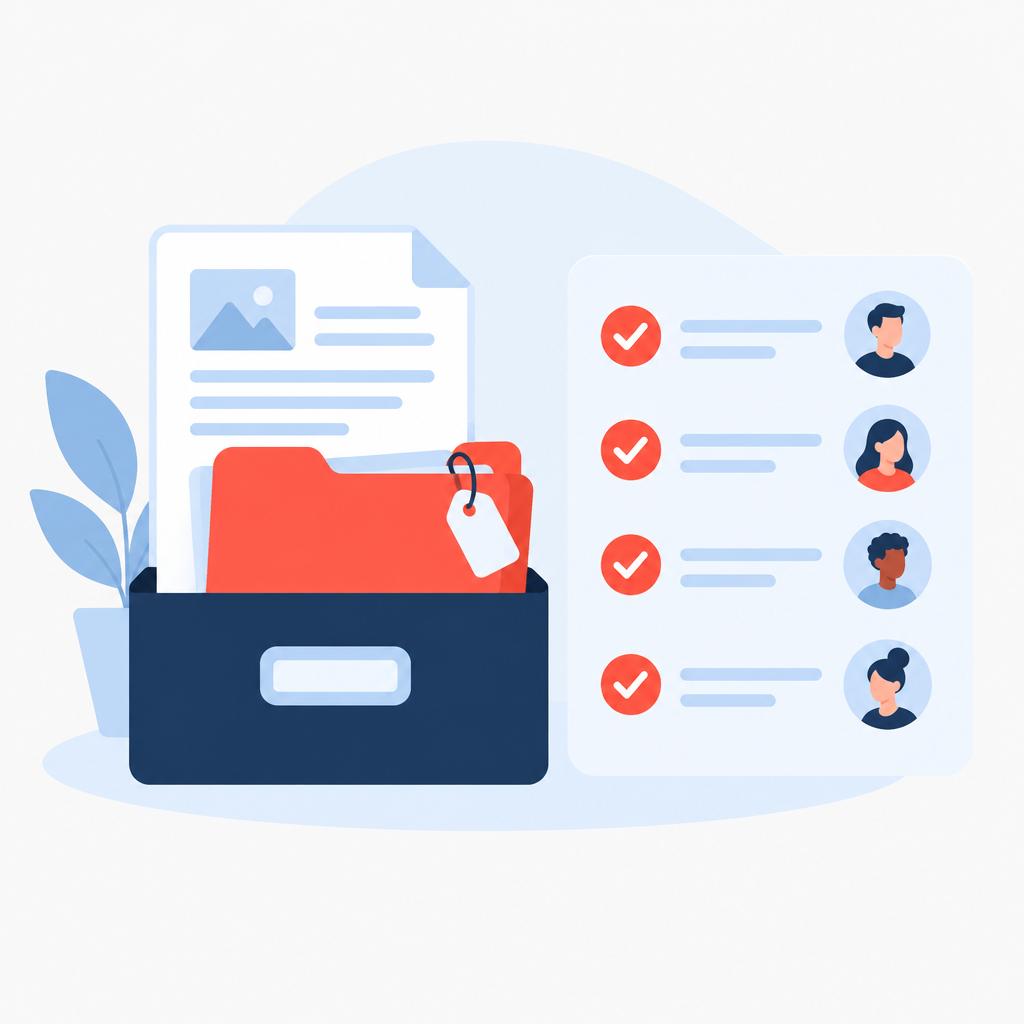
- Archiving of minutes and metadata in chosen storage for later search and audit.
What your business gains
- Saves time on post-meeting admin. Removes the manual work of writing minutes and entering tasks, freeing project leads and PMs to focus on priorities.
- Improves task clarity and ownership. Action items include suggested owners and deadlines so responsibilities are visible and handoffs are explicit.
- Centralises meeting knowledge. Minutes and recordings are stored with metadata and tags, making decisions and context easier to retrieve later.
- Speeds follow-up. Automated task creation and scheduled reminders reduce the time between decision and execution.
- Standardises meeting outputs. Consistent formatting and item structure make cross-team coordination simpler and reporting more reliable.
A practical use case
For a product development team running weekly sprint planning and cross-functional demos, the AI Meeting Assistant captures recordings from recurring online meetings, transcribes discussions and surfaces the action items for engineers, designers and stakeholders. Tasks created automatically in the team’s project board reduce manual entry and ensure each action has a clear owner and target date. Managers use the searchable minutes archive to track decisions across sprints and to onboard new team members with concise historical context.
Who is it for?
- Project managers and PMOs — need consistent, tracked meeting records and reliable task handoffs.
- Sales teams and account managers — want clear follow-up items after client calls to avoid missed commitments.
- Product and engineering teams — need searchable decisions linked to action items for delivery accountability.
- Agencies and professional services — use the assistant to produce client-facing minutes and ensure deliverables are captured.
What is included in the monthly service
The monthly subscription covers operation and maintenance of the agreed automation: connecting the selected systems, running AI transcription and summarization, monitoring the automation, handling errors, and applying reasonable configuration updates to keep outputs aligned with your workflows.
- Ongoing monitoring and incident handling for the automation.
- AI processing for transcript generation and meeting summarization as part of the service.
- Maintenance and minor configuration updates to mappings, templates and notification rules.
When this solution may not be necessary
- Organisations that rarely hold recorded meetings or prefer manual minute-taking — the automation is not cost-effective if usage is very low.
- Highly regulated environments requiring special legal or compliance reviews before any recording or external AI processing — additional legal and data handling work may be needed before launch.
How it works
- Meeting capture. Recordings are collected from the agreed source — scheduled meeting recordings or uploaded audio/video files — and made available to the automation for processing.
- Transcription. Speech-to-text converts audio into a time-stamped transcript with speaker separation when available, producing the raw text the AI analyses.
- AI summarization and extraction. The service runs an AI pass that identifies key points: decisions, risks, and proposed action items with suggested owners and due dates based on attendees and context.
- Task mapping and creation. Agreed rules map action items to your task system; the automation can create tasks, add tags, set due dates and assign owners, or send structured notifications via Slack or email.
- Archival and search indexing. Minutes, transcripts and metadata are stored in the selected repository and indexed to allow later search and retrieval by project, tag, or date.
- Notifications and follow-up. The automation sends summary notifications and scheduled reminders to assignees; exceptions or unclear items can be flagged for manual review.
- Monitoring and maintenance. implementi.ai monitors processing, resolves integration errors and applies configuration updates to ensure consistent outputs as your tools or meeting formats evolve.
Example workflow
For example, imagine a company that runs weekly cross-functional planning calls in Zoom. After each call the recorded meeting is automatically added to a shared Google Drive folder. The assistant transcribes the recording, extracts decisions and creates action items matched to attendees. Where a task fits the product backlog policy, it is created in the team’s ClickUp board with the assignee and a proposed due date; where ownership is unclear the item is sent as a Slack message to the meeting host for assignment. The final minutes and transcript are archived and indexed so anyone can search past decisions by keyword or date.
Integrations
Typical systems
Typical systems that can be connected include conferencing platforms (Zoom, Microsoft Teams, Google Meet recordings), cloud storage (Google Drive, Dropbox), task and project tools (Asana, Trello, ClickUp, Microsoft To Do), communication and calendar systems (Slack, Google Calendar, Gmail) and AI platforms used for transcription and summarization. Other company systems with APIs or export capabilities can also be integrated after review.
Connection methods
Connections are implemented using available APIs and native integrations where possible, or by processing uploaded recordings and file shares. Other methods include webhooks, email or calendar triggers, and secure file exports (CSV/MP3/MP4) to agreed storage locations. Exact methods are selected based on the systems you use and confirmed during scoping.
What we need from your company
Before launch we agree which meeting sources and target systems to connect, the owner-assignment rules, naming and tagging conventions, and any notification preferences. We typically need access or admin consent to the selected conferencing, storage and task systems, examples of meeting types and a sample recording to validate outputs. Final compatibility, access methods and scope are confirmed and agreed before implementation begins.
FAQ
Which conferencing platforms can you work with?
We commonly integrate with Zoom, Microsoft Teams and Google Meet recordings by using available APIs or processing exported recording files. If your platform supports recordings or can export audio/video, we can usually include it—compatibility is confirmed during scoping.
Can action items be created automatically in our project board?
Yes. We map extracted action items to your task system according to agreed rules (project, assignee, due date mapping). You decide which tools receive automatic task creation and which items require manual approval before creation.
How is speaker identity handled?
Speaker separation is supported when the source recording includes participant metadata (e.g., meeting attendee list). Where speaker labelling is not possible, the assistant still extracts items and can attribute ownership by matching names mentioned in discussion or by using attendee lists.
What happens with ambiguous or incomplete action items?
The automation flags ambiguous items for manual review and can send them as queued items to a designated reviewer or to the meeting host. You can set rules to either auto-create tasks with suggested owners or require human approval for creation.
How does the implementation start and what does the monthly fee cover?
Implementation begins with scoping your systems and rules, followed by configuration and testing with sample meetings. The monthly fee covers operating the live automation, AI processing for transcripts and summaries, monitoring, error handling and reasonable configuration updates. Final scope and launch timing are confirmed before work begins.
Price
The activation fee covers the initial setup, implementation and launch of the agreed automation scope.
The monthly subscription covers the ongoing operation, maintenance and management of the automation service.
The exact scope and final monthly subscription are confirmed before launch.
Ready to automate this process?
Tell us which conferencing, storage and task-management tools your team currently uses.
We’ll confirm how this solution can be connected, its scope and the final monthly subscription.
| Email uscontact@implementi.ai | Call us+48 660 983 178 |